All-in-One PDF Tools
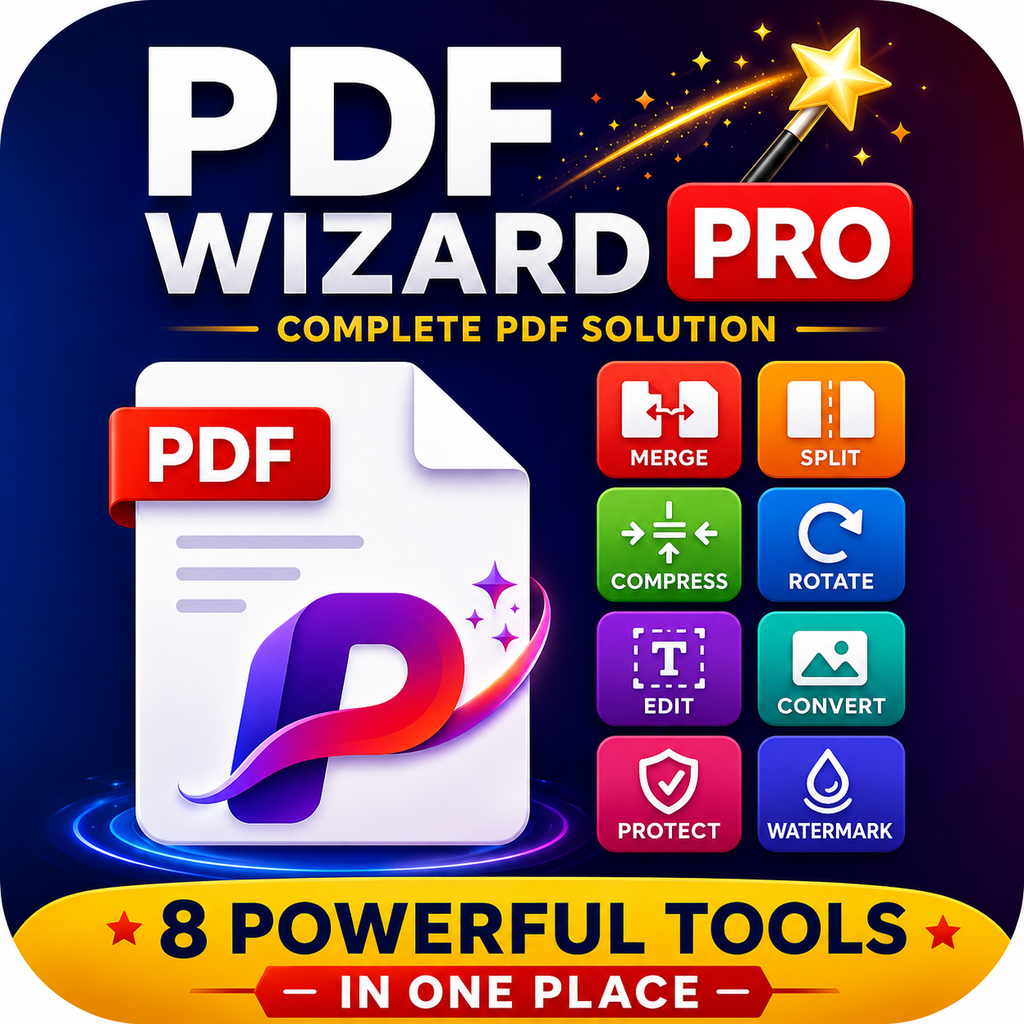
Complete PDF Solution – 8 Powerful Tools in One Place
Image to PDF Converter
Convert multiple images to a single PDF with advanced customization
Drag & Drop Images Here
or
Supports: JPG, PNG, WEBP, BMP, GIF
PDF Settings
Text to PDF Converter
Convert plain text to beautifully formatted PDF documents
PDF Settings
Word to PDF Converter
Convert your Word documents to high-quality PDF files instantly
Upload Word Document
Drag & drop your .docx file here or click to browse
No document selected. Upload a Word file to preview.
PDF Settings
PDF Editor
Edit, merge, split, and modify PDF documents
PDF to Text Converter
Extract text from PDF files with OCR
PDF to Excel Converter
Convert PDF tables to Excel spreadsheets
PDF Compressor Pro
Advanced compression · Full PDF toolkit · Zero servers
Drag & Drop PDF files here or click to browse
All-in-One PDF Tools
everything you need to manage common PDF tasks in one convenient place.
PDF files have become an essential part of everyday digital work. . Different tasks often require different software, websites, or applications.
All-in-One PDF Tools brings these essential PDF utilities together in one simple solution.
What Is All-in-One PDF Tools?
All-in-One PDF Tools is a complete PDF solution designed to make common document tasks easier and faster. The platform combines seven useful PDF tools that can help users create, convert, edit, extract information from, and reduce the size of PDF documents.
The seven core tools include:
Image to PDF
Text to PDF
Word to PDF
PDF Editor
PDF to Text
PDF to Excel
PDF Compressor
Image to PDF – Convert Images Into PDF Documents
Images are commonly used for scanned documents, receipts, notes, certificates, forms, assignments, and other important information.
The Image to PDF tool allows users to convert images into PDF documents.
Scanned documents
School assignments
Business receipts
Notes and handwritten pages
Forms and applications
Photos of documents
Multiple-page scans
Text to PDF – Create Professional PDFs From Text
The Text to PDF tool provides a simple way to turn written content into a PDF document.
Users can prepare notes, instructions, simple reports, lists, letters, or other text-based material and convert it into a PDF format.
Word to PDF – Convert Documents Easily
The Word to PDF tool helps users convert Word documents into PDF format for easier sharing and distribution.
This makes Word-to-PDF conversion useful for:
Reports
Resumes and CVs
Business documents
Assignments
Letters
Proposals
Forms
Digital documents
PDF Editor – Make Changes to Your Documents
The PDF Editor provides editing functionality within the same PDF toolkit.
Depending on the available editing features, users can work with PDF content without having to move between multiple applications.
For students, businesses, freelancers, and everyday users, having an editing tool available alongside PDF conversion tools can make document management much more convenient.
PDF to Text – Extract Text From PDF Files
PDF documents can contain valuable written information that users may want to reuse somewhere else.
The PDF to Text tool is designed to extract readable text from PDF documents, making it easier to copy, review, edit, or reuse information.
This can be useful for:
Research documents
Digital notes
Reports
Articles
Educational material
Text-based PDF files
Document archiving
For documents containing large amounts of text, this can save considerable time.
PDF to Excel – Convert PDF Data Into Spreadsheets
PDF files are frequently used for invoices, financial reports, tables, lists, and business records.
The PDF to Excel tool is designed to help convert supported PDF data into spreadsheet-friendly formats.
Excel spreadsheets are useful for:
Calculations
Data analysis
Financial records
Inventory management
Business reports
Tables
Customer information
Converting suitable PDF data into Excel can make information easier to sort, organize, calculate, and analyze.
PDF Compressor – Reduce PDF File Size
Large PDF files can be difficult to upload, email, store, or share.
An email attachment is too large
A website has an upload-size limit
You need to save storage space
You want faster file sharing
A document contains many images
You need to upload a PDF to an online form
A smaller PDF can make digital document management more convenient.
One of the biggest advantages of an All-in-One PDF Tool is convenience.
This can simplify everyday workflows and reduce the time spent searching for individual PDF utilities.
With separate applications, this workflow can involve several different tools. With an all-in-one PDF solution, the process can be much more straightforward.
Useful for Students, Professionals, and Businesses
The versatility of PDF tools makes them useful for a wide range of users.
Students
Students can use PDF tools to convert assignments, notes, scanned pages, and educational documents into convenient PDF files.
Teachers
Teachers can create, organize, edit, and share educational materials in PDF format.
Freelancers
Freelancers can prepare proposals, invoices, reports, and other professional documents.
Small Businesses
Businesses can use PDF conversion and compression tools for invoices, forms, records, reports, and document sharing.
Office Workers
Employees frequently work with reports, spreadsheets, scanned documents, and digital forms. Having multiple PDF utilities available can simplify these everyday tasks.
Everyday Users
Simple PDF Workflow
A typical workflow might look like this:
Create → Convert → Edit → Extract → Compress → Share
This approach can make PDF management more organized and efficient.
Why PDF Remains a Popular Document Format
PDF files are commonly used for professional documents, education, forms, invoices, manuals, applications, and digital publications.
As more work moves online, the need for reliable PDF conversion and management tools continues to grow.
The Future of PDF Management
PDF tools continue to evolve as digital document workflows become more advanced.
The goal is not simply to provide many functions. The real goal is to help users complete everyday document tasks with fewer steps.
Conclusion
All-in-One PDF Tools provides a practical collection of seven essential PDF utilities in one place. With Image to PDF, Text to PDF, Word to PDF, PDF Editor, PDF to Text, PDF to Excel, and PDF Compressor, users can handle many common document tasks without constantly switching between different tools.
From creating PDFs from images and text to converting Word documents, editing files, extracting text, working with spreadsheet data, and reducing file sizes, this complete PDF solution can make digital document management easier.
Create, convert, edit, extract, compress, and manage your documents—all from one convenient PDF toolkit.
https://bsky.app/profile/besterpost.bsky.social
Frequently Asked Questions
All-in-One PDF Tools is a complete PDF solution that combines seven useful tools: Image to PDF, Text to PDF, Word to PDF, PDF Editor, PDF to Text, PDF to Excel, and PDF Compressor.
Yes. The Image to PDF tool allows you to turn supported image files into a PDF document, which is useful for scanned pages, notes, receipts, assignments, and other images.
Yes.
Time needed: 5 minutes
- Who can use these PDF tools?
These tools can be useful for students, teachers, freelancers, professionals, businesses, and everyday users who regularly create, convert, edit, extract, or compress PDF documents.
Download > PDF Wizard Pro
https://play.google.com/store/apps/details?id=com.app.pdfwizardpro&pcampaignid=web_share